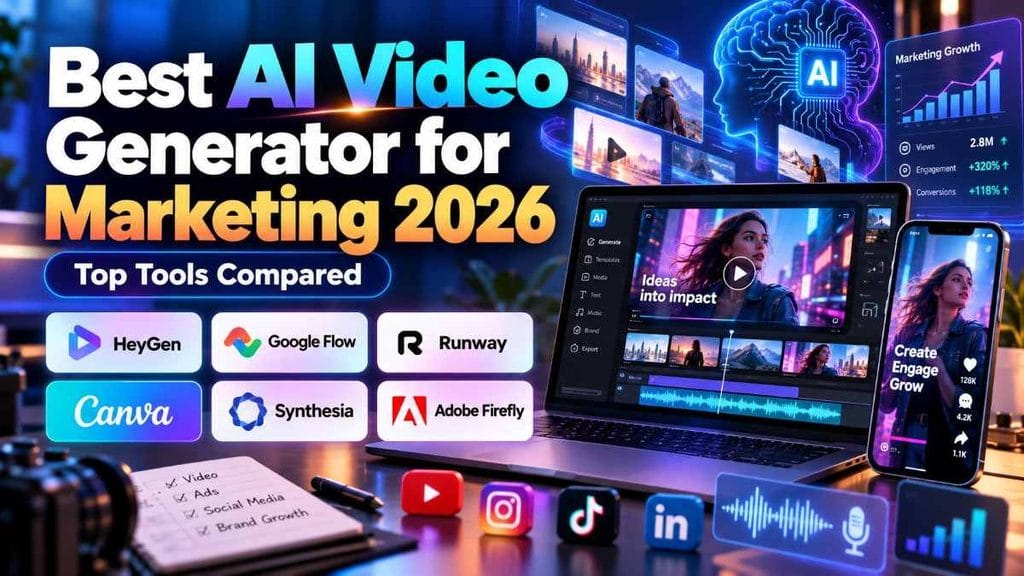
Best AI Video Generator for Marketing 2026: Top Tools Compared
Video marketing is no longer limited to brands with large production teams, expensive cameras, or professional editors. In 2026, AI video generators can help marketers and content creators turn scripts, product ideas, reference images, and simple prompts into polished videos much faster.
But choosing the best AI video generator for marketing 2026 is not as simple as picking the tool with the most impressive demo. Some platforms are better for AI avatars, some specialize in cinematic footage, while others are designed for social media ads, explainers, product videos, or multilingual campaigns.
This guide compares six strong AI video platforms for different marketing workflows so you can choose the one that actually fits the content you want to create.
Quick Answer: Which AI Video Generator Is Best for Marketing?
For most marketers who need presenter-style videos, localization, and repeatable content production, HeyGen is one of the strongest all-round options in 2026. Its Creator plan currently starts at $29 per month and includes 1080p exports, custom video avatars, and support for 175+ languages and dialects.
However, there is no universal winner.
For cinematic AI ads and creative social videos, Google Flow with Veo 3.1 is a stronger choice. For advanced generative video control, consider Runway. Canva is excellent for fast social marketing workflows, while Synthesia is particularly useful for presenter-led explainers and business communication.
What Is an AI Video Generator for Marketing?
An AI video generator is software that uses artificial intelligence to create or assist with video production.
Depending on the platform, you may be able to generate videos from:
- Text prompts
- Scripts
- Images
- Product photos
- Existing video clips
- Documents or presentations
- AI avatars
- Voiceovers
Instead of filming every scene manually, a marketer can describe a video, upload reference assets, generate clips, edit the result, add branding, and publish it across platforms such as Instagram, YouTube, Facebook, TikTok, or a business website.
The important thing to understand is that different AI video tools solve different problems.
A cinematic text-to-video generator is not automatically better than an avatar platform. The best option depends on whether you need an advertisement, product demonstration, presenter video, social Reel, training video, or cinematic brand visual.
Best AI Video Generators for Marketing in 2026
1. HeyGen — Best Overall for Avatar Marketing and Localization
HeyGen is especially useful for marketers who want to create presenter-style videos without repeatedly filming a real spokesperson.
You can work with stock presenters, create a custom video avatar, clone a voice, and translate marketing content into multiple languages.
HeyGen currently lists its Creator plan at $29 per month, with 1080p exports, watermark removal, custom avatars, and support for 175+ languages and dialects. Its higher tiers add features such as 4K output, additional credits, team collaboration, and integrations.
Best for:
- Product explainers
- Multilingual marketing
- Presenter videos
- Personal-brand content
- Sales videos
- Social media campaigns
Main limitation:
If your campaign depends mainly on cinematic action scenes or highly creative product shots, a generative filmmaking tool such as Google Flow or Runway may give you more visual freedom.
2. Google Flow with Veo 3.1 — Best for Cinematic Marketing Videos
Google Flow is a strong choice for creators who want visually rich AI-generated scenes rather than traditional talking-avatar videos.
Veo 3.1 supports reference-based video creation, improved character and object consistency, native vertical generation, generated audio, and higher-resolution production workflows.
Google has also added native portrait output for mobile-first videos, which is particularly useful for Instagram Reels, YouTube Shorts, and other vertical social platforms. Veo 3.1 workflows can support improved 1080p and 4K upscaling in Flow.
Flow also combines generation and editing features in a unified creative environment, making it useful when you want to create, refine, and organize AI-generated assets in one workflow.
Best for:
- Cinematic advertisements
- Instagram Reels
- Product storytelling
- AI short films
- Visual campaigns
- Creative brand videos
Main limitation:
AI-generated cinematic clips often require multiple generations before you get the exact motion, character consistency, or product placement you want.
3. Runway — Best for Creative Control and Generative Video
Runway remains a powerful option for marketers who want greater control over AI-generated scenes.
Its Gen-4.5 model supports both text-to-video and image-to-video generation and can handle more detailed instructions involving camera movement, scene composition, timing, and motion. Runway currently supports Gen-4.5 clips between 2 and 10 seconds, with the model available on Standard plans and above.
This makes Runway particularly useful when you are building multiple short shots and assembling them into a larger advertisement.
Best for:
- Cinematic B-roll
- Product visuals
- Creative advertisements
- Brand campaigns
- Image-to-video animation
- Professional AI experimentation
Main limitation:
Generation credits can disappear quickly when you repeatedly test prompts and regenerate scenes.
4. Canva — Best for Social Media Marketing
Canva is a practical choice for creators who want AI generation, templates, graphics, text, branding, and editing in one familiar platform.
Its Magic Video feature can automatically build videos from uploaded clips or photos, applying templates, transitions, and music. Canva also offers AI-generated video clips from text prompts that can be edited directly inside the Canva editor.
For marketers, another interesting feature is Canva Grow, which combines AI-assisted ad creation with campaign publishing and performance tracking across supported platforms such as Meta, TikTok, and LinkedIn.
Best for:
- Instagram content
- Marketing graphics
- Short promotional videos
- Small businesses
- Social media teams
- Creators who want an easy workflow
Main limitation:
Canva offers convenience and speed, but specialist tools may provide more control for advanced cinematic generation.
5. Synthesia — Best for Business Explainers and Training Videos
Synthesia focuses heavily on AI presenters, structured business videos, training, localization, and explainers.
Its Starter plan currently costs $29 per month when billed monthly and includes downloadable videos, logo removal, AI Video Assistant access, and more than 125 AI avatars. Higher plans add more avatars, branding features, collaboration, and enterprise capabilities.
Synthesia also supports broad multilingual workflows, with its enterprise offering including one-click translation into more than 140 languages.
In October 2026, Synthesia also introduced Syren in beta, designed to turn prompts or branded source materials into videos combining motion graphics, avatars, voiceover, music, and B-roll.
Best for:
- Training videos
- SaaS explainers
- Internal communication
- Product education
- Business presentations
- Multilingual company content
Main limitation:
It is less focused on cinematic action scenes than Flow or Runway.
6. Adobe Firefly — Best for Adobe-Based Marketing Workflows
Adobe Firefly is a strong option for marketers who already work with Adobe products.
Firefly includes generative video capabilities and integrates AI creation with Adobe’s broader creative ecosystem. Its plans use generative credits and support video generation, audio translation, sound effects, music, and access to selected partner AI models.
For agencies and creative professionals already using Adobe tools, keeping AI generation close to an existing editing workflow can reduce the need to move assets between multiple platforms.
Best for:
- Creative agencies
- Adobe users
- Product visuals
- Brand campaigns
- Professional editing workflows
Best AI Video Generator by Marketing Use Case
Here is the easiest way to choose:
Best for AI spokesperson marketing: HeyGen
Best for cinematic AI campaigns: Google Flow / Veo 3.1
Best for advanced generative control: Runway
Best for easy social media creation: Canva
Best for business explainers and training: Synthesia
Best for Adobe creative workflows: Adobe Firefly
Instead of asking which platform has the most AI features, ask what type of video your campaign needs.
That single question can save both money and production time.
How to Create a Marketing Video With AI
A simple AI marketing workflow can look like this:
Step 1: Define one clear goal
Decide whether the video should generate awareness, demonstrate a product, educate viewers, drive website traffic, or encourage a specific action.
Step 2: Write a short script
Keep the opening strong. Social media viewers often decide very quickly whether they will continue watching.
A basic structure is:
Hook → Problem → Solution → Benefit → Call to Action
Step 3: Choose the right tool
Use HeyGen or Synthesia for presenter content.
Use Flow or Runway for cinematic scenes.
Use Canva when you need fast social graphics, text, templates, and editing.
Step 4: Generate multiple versions
Do not assume the first AI generation will be perfect.
Test different hooks, camera angles, visuals, voices, captions, and calls to action.
Step 5: Add human review
Always check:
- Product information
- Text accuracy
- Brand consistency
- Voice pronunciation
- AI artifacts
- Copyright or licensing requirements
- Platform advertising policies
AI should speed up production, not remove quality control.
Best Practices for AI Video Marketing
Create for the Platform
For Reels and Shorts, use a vertical 9:16 format whenever possible.
Google’s Veo 3.1 now supports native vertical generation in supported workflows, which can make AI footage more suitable for mobile-first content.
Keep Branding Consistent
Use the same colors, fonts, product presentation, tone, and visual identity across multiple videos.
Consistency helps your audience recognize your content.
Focus on the First Few Seconds
An impressive AI-generated scene is useless if viewers leave before your message begins.
Lead with curiosity, a clear problem, a visual surprise, or a strong benefit.
Avoid Misleading AI Content
Do not present AI-generated people, testimonials, products, or events as authentic when doing so could mislead viewers.
Transparency is especially important for advertising, reviews, testimonials, and realistic synthetic media.
Common Mistakes to Avoid
One of the biggest mistakes is choosing a tool because a demo looks impressive rather than because it fits your marketing workflow.
Other common mistakes include:
- Creating long videos without a strong hook
- Publishing obvious AI artifacts
- Using too many effects
- Ignoring commercial-use terms
- Generating fake testimonials
- Making unrealistic product claims
- Using the same creative repeatedly
- Forgetting mobile optimization
- Skipping human review
The best AI marketing videos usually combine automation with human judgment.

🐍 Giant Anaconda Viral AI Video Prompt
Use this detailed prompt to create an ultra-realistic aerial rainforest expedition video with gigantic anacondas and a documentary-style helicopter camera.
Are AI Video Generators Worth Using in 2026?
For many creators and marketing teams, yes.
AI can reduce the amount of filming, editing, localization, and repetitive production needed for certain campaigns.
However, it should not be viewed as a magic replacement for marketing strategy.
A poor offer will still be a poor offer.
A weak script will still produce weak content.
The real advantage comes when AI helps you test more creative ideas, produce variations faster, localize campaigns, and turn concepts into usable video assets without rebuilding everything from scratch.
Best AI Video Prompts for Instagram Reels
FAQs
Which is the best AI video generator for marketing in 2026?
HeyGen is a strong overall option for avatar-led and multilingual marketing. Google Flow with Veo 3.1 is better suited to cinematic AI campaigns, while Runway offers more advanced generative control.
What is the best AI video generator for Instagram Reels?
Google Flow/Veo 3.1 is particularly useful for cinematic vertical AI videos, while Canva is a convenient option for editing, text, templates, and social-media-ready designs.
Can AI video generators create marketing ads?
Yes. Many tools can create product videos, presenter ads, social clips, explainers, and creative campaign assets. Always review the tool’s commercial-use terms before using generated content in paid advertising.
What is the best AI avatar generator for marketing?
HeyGen and Synthesia are both strong options. HeyGen is particularly attractive for creator-style marketing and localization, while Synthesia is well suited to structured business and training content.
Can I create AI marketing videos for free?
Several platforms provide free access or limited free generations, but free tiers may include usage limits, watermarks, lower quality, or different commercial-use conditions. Check the current plan terms before publishing commercial content.
Will AI replace video editors?
AI is more likely to change video workflows than completely eliminate editing. Human input is still important for storytelling, brand judgment, factual accuracy, campaign strategy, and final quality control.
Conclusion
The best AI video generator for marketing 2026 depends on the type of content you want to produce.
Choose HeyGen for AI presenters and multilingual campaigns, Google Flow with Veo 3.1 for cinematic and vertical social videos, Runway for advanced creative control, Canva for fast social media production, Synthesia for structured business explainers, and Adobe Firefly for Adobe-centered creative workflows.
Instead of relying on one platform for everything, build your workflow around the marketing asset you actually need.
Start with one tool, test it on a real campaign, measure the result, and only upgrade when the platform genuinely saves time or improves your content.